PluginsThemesLanguage Packs

WebBlocks Commerce

Sell products from a CMS site, with a cart and hosted checkout through PayPal or SumUp.

Free · Version 0.22.1 · 301 downloads
Install from your CMS

  1. In your CMS panel, go to System → Plugins → Browse plugin catalog.
  2. Find this plugin and select View plugin. Check compatibility, then select Install from catalog.
  3. Review the installed plugin under System → Plugins, then enable it.
Store product grid, cart and sales chart

About this plugin

Simple product sales and hosted checkout foundations for WebBlocks CMS sites.
Current package

  • Version 0.22.1
  • Price · Free
  • License · MIT
  • Publisher · WebBlocks
  • 301 downloads

Before you install

  • WebBlocks CMS · ^1.144.3 · PHP ^8.3 · Laravel ^13.0

Latest release notes

  • Show the withdrawal form in the CMS preview with localized labels and blank, disabled controls.
  • Align the heading and form in a responsive column that uses the site's storefront theme.
  • Apply the same form styling to the public withdrawal, review, and receipt screens.
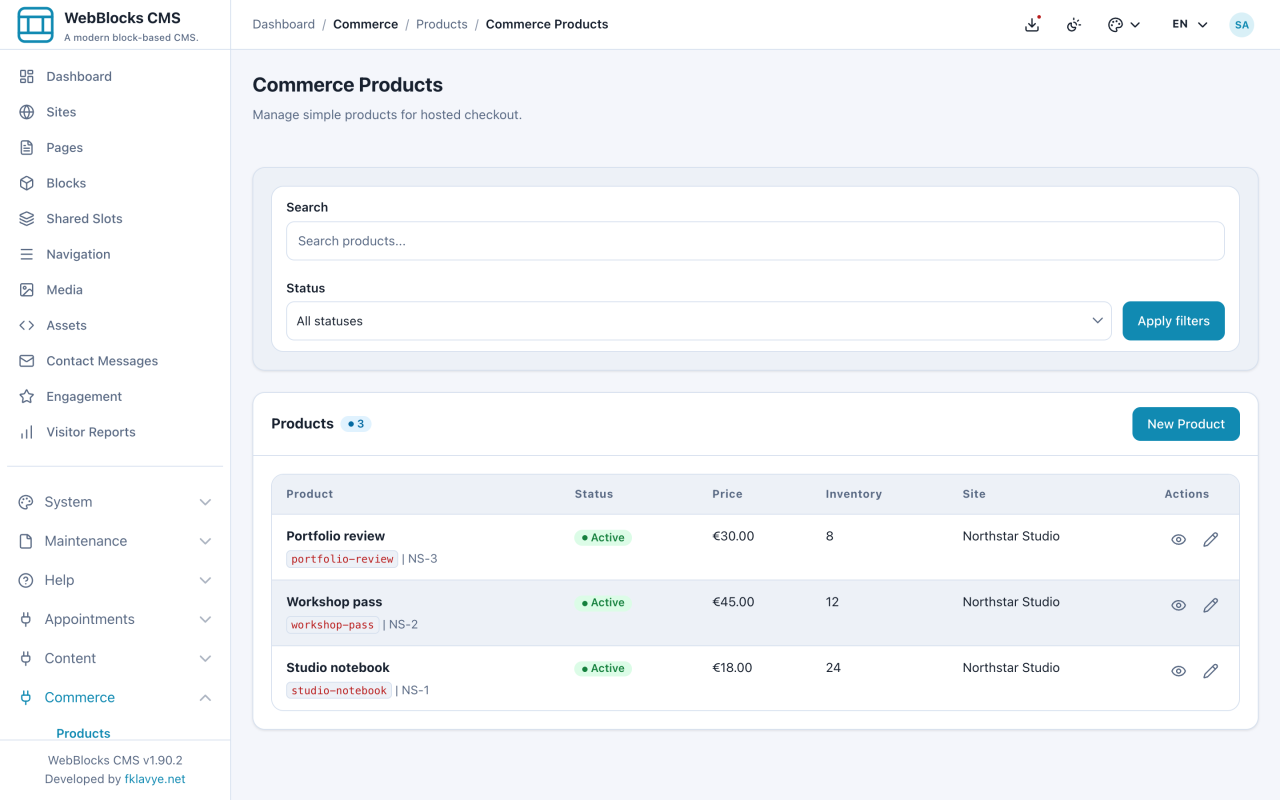
Fictional products with prices and stock.
Showcase reference: WebBlocks CMS 1.90.2 · English interface · synthetic Northstar Studio data.