PluginsThemesLanguage Packs

WebBlocks Polls

Create multilingual polls, collect one vote per visitor, and show aggregate results.

Free · Version 0.1.6 · 141 downloads

Install from your CMS

  1. In your CMS panel, go to System → Plugins → Browse plugin catalog.
  2. Find this plugin and select View plugin. Check compatibility, then select Install from catalog.
  3. Review the installed plugin under System → Plugins, then enable it.
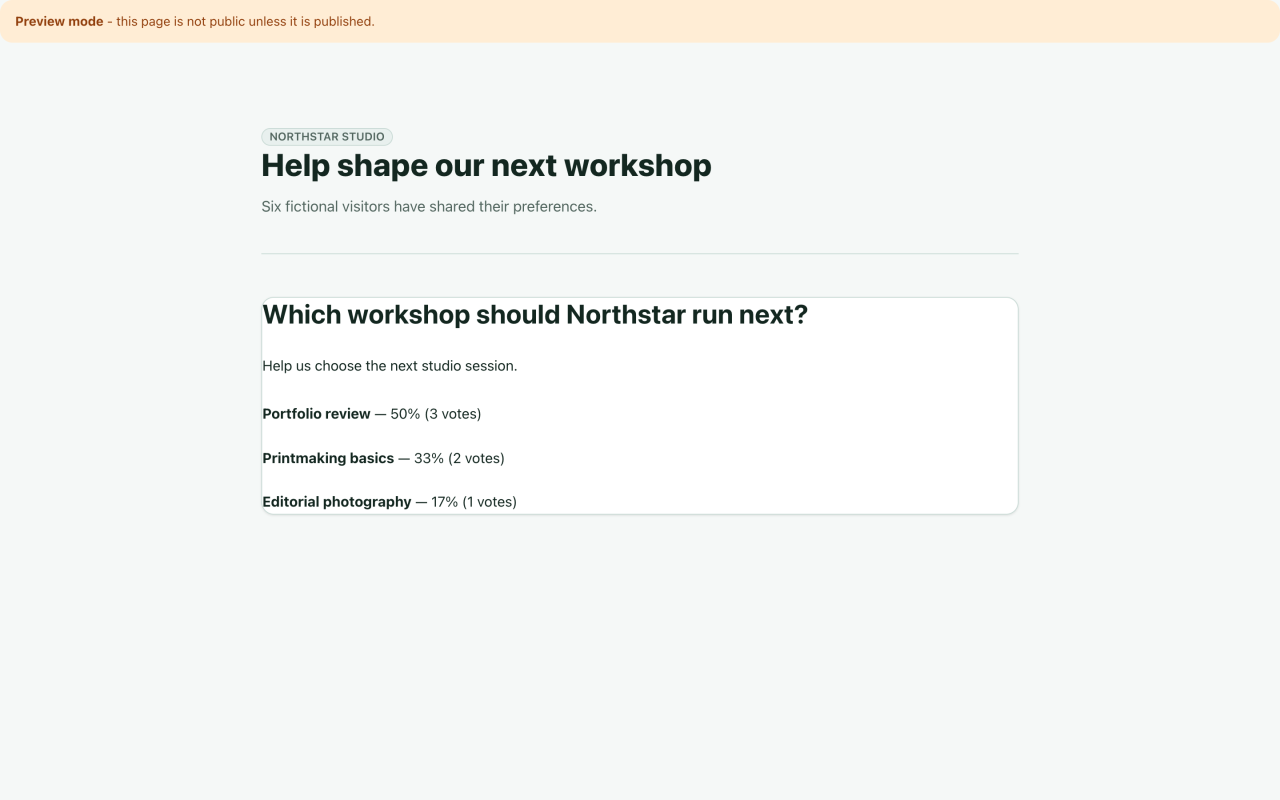
Poll choices and results shown as a bar chart

About this plugin

Create multilingual polls, collect one vote per visitor, and show results on your own site.
Current package

  • Version 0.1.6
  • Price · Free
  • License · MIT
  • Publisher · WebBlocks
  • 141 downloads

Before you install

  • WebBlocks CMS · ^1.106.5 · PHP ^8.3 · Laravel ^13.0

Latest release notes

  • Display visible poll results as native horizontal wb-meter bars with accessible localized labels, percentages and vote counts. Preserve ballot-based percentages, zero/full values and visibility policies without plugin CSS or JavaScript.
  • Require CMS ^1.106.5 for the bundled WebBlocks UI 2.32.0 meter primitive.
Poll results with synthetic votes.
Showcase reference: WebBlocks CMS 1.90.2 · English interface · synthetic Northstar Studio data.